If you have clicked a phishing link and are now wondering what to do, the most important thing to know is this: you are not necessarily in trouble yet. What happens next depends entirely on what you do in the next few minutes.
Stay Calm — One Click Is Not Always a Disaster
Clicking a suspicious link does not automatically hand a criminal your passwords or infect your device. There are three very different situations you might be in right now:
- The page just loaded. You saw something, closed it, and did nothing else. This is the least serious outcome.
- You entered information. You typed a password, email address, or payment details into a form. This needs immediate action.
- Something downloaded. A file appeared on your device, or a prompt asked you to install something. This is the most serious scenario.
Acting quickly and in the right order makes a genuine difference. The steps below are written for anyone, not just technical people.
Step One: Disconnect From the Internet Immediately
The first thing to do after clicking a phishing link is cut the connection. If malicious software has started running, being offline stops it from sending your data to the attacker or pulling down more harmful files.
- On a phone: Switch to airplane mode. It takes two seconds and cuts everything.
- On a laptop: Turn off Wi-Fi from the taskbar or menu bar, or physically unplug the network cable if you use one.
- On a desktop: Unplug the ethernet cable from the back of the machine, or disable the network adapter in settings.
This is a temporary precaution while you assess what happened — not a permanent fix. If the device belongs to your employer, tell your IT team before you do anything else. They may have tools you do not.
Step Two: Work Out Exactly What Happened
Before changing passwords or running scans, spend two minutes understanding what you actually clicked on.
Open your browser history and look at the address bar on the page you visited. A fake bank login page might show an address like secure-halifax-verify.com rather than halifax.co.uk — the real domain is usually at the end, just before the first single slash.
Credential-harvesting pages — the ones designed to steal your login — almost always look like a real service. They copy the logo, the colours, and the layout of a bank, email provider, or delivery company. The giveaway is the address bar and the fact that the page appeared after an unexpected link rather than a bookmark you trust.
If a file downloaded automatically without you asking for it, or a prompt appeared asking you to install software, treat this as the most serious outcome and move through the remaining steps without delay.
Step Three: Change Passwords for Any Account at Risk
If you entered login details on the page, change that password right now — ideally from a different device, such as a family member’s phone or a work computer. The device you clicked on may still be compromised, so using it to change passwords could hand the new password to the attacker as well.
Reused passwords multiply the damage significantly. If your email password is the same as your banking password, or your shopping accounts, change all of them. A single stolen password that works across five accounts is five times worse than one.
A password manager — an app that creates and stores a different password for every site — makes reuse a thing of the past. It is worth setting one up once you are through this immediate situation.
Step Four: Turn On Two-Factor Authentication
Two-factor authentication (2FA) means that even if someone has your password, they cannot get in without a second check — usually a code sent to your phone or generated by an app. Think of it as a second lock that only you can open.
The accounts where it matters most are email, banking, social media, and anything connected to payments. Compromising your email is especially damaging because it lets an attacker reset every other password you own.
Authenticator apps — such as Google Authenticator or Authy — are slightly stronger than SMS text codes, because a determined attacker can sometimes redirect a phone number. But SMS 2FA is still far better than nothing and takes about three minutes to set up on most services.
Step Five: Scan the Device and Watch for Warning Signs
Run a security scan on the device you used. On Windows, Windows Defender is built in — search for it in the Start menu and run a full scan. On a Mac or phone, a reputable free scanner such as Malwarebytes has a basic version that covers the essentials.
Watch for these warning signs over the following days:
- Pop-ups appearing when no browser is open
- The device running noticeably slower than usual
- Apps you do not recognise appearing in your list
- Emails in your sent folder that you did not write
- Transactions in your bank account you did not make
Check your email sent folder and bank statements on the day of the incident, then again after a week. Attackers sometimes wait before acting so that the victim has relaxed.
Step Six: Report It and Warn Anyone Who Might Be Targeted Next
Reporting the phishing page helps take it down faster and warns other people. Forward the original phishing email to reportphishing@apwg.org — that is the Anti-Phishing Working Group, which works with companies to remove fake pages. In the UK you can report to Action Fraud; in the US, to the FTC at reportfraud.ftc.gov.
Also contact the organisation being impersonated — your bank, delivery company, or email provider — so they can alert their other customers.
Phishing links often arrive from a contact whose account has already been hijacked. The person who sent it to you may have no idea. Tell them so they can secure their own account.
Finally, be alert to follow-up contact. After someone clicks a phishing link, scammers sometimes call within hours pretending to be the bank’s fraud team or a tech support service. They use the fact that you recently had a scare to make themselves sound credible. If you receive an unexpected call about the incident, hang up and call the organisation back on a number from their official website.
Frequently asked questions
Can I get hacked just by clicking a link without entering any details?
It is uncommon but possible. Most phishing pages need you to hand over information voluntarily. However, some pages are designed to exploit security weaknesses in older browsers or unpatched operating systems, allowing software to run without any input from you. Keeping your browser and operating system updated closes most of those gaps. If your software is current and you entered nothing, the risk is low — but running a scan is still a sensible precaution.
How do I know if the phishing page stole my password?
If you typed your password into a form on the page, assume it was captured. There is no reliable way to confirm from your end whether the data was recorded. The practical response is the same either way: change the password immediately on a clean device and turn on two-factor authentication.
Should I factory-reset my phone or computer after clicking a phishing link?
Not necessarily, and not as a first step. A factory reset is disruptive and wipes your data. Start with a full security scan. If the scan finds something it cannot remove, or if warning signs persist after a week — unexpected activity, unfamiliar apps, strange behaviour — then a reset becomes worth considering. Back up your data to a clean location before you do.
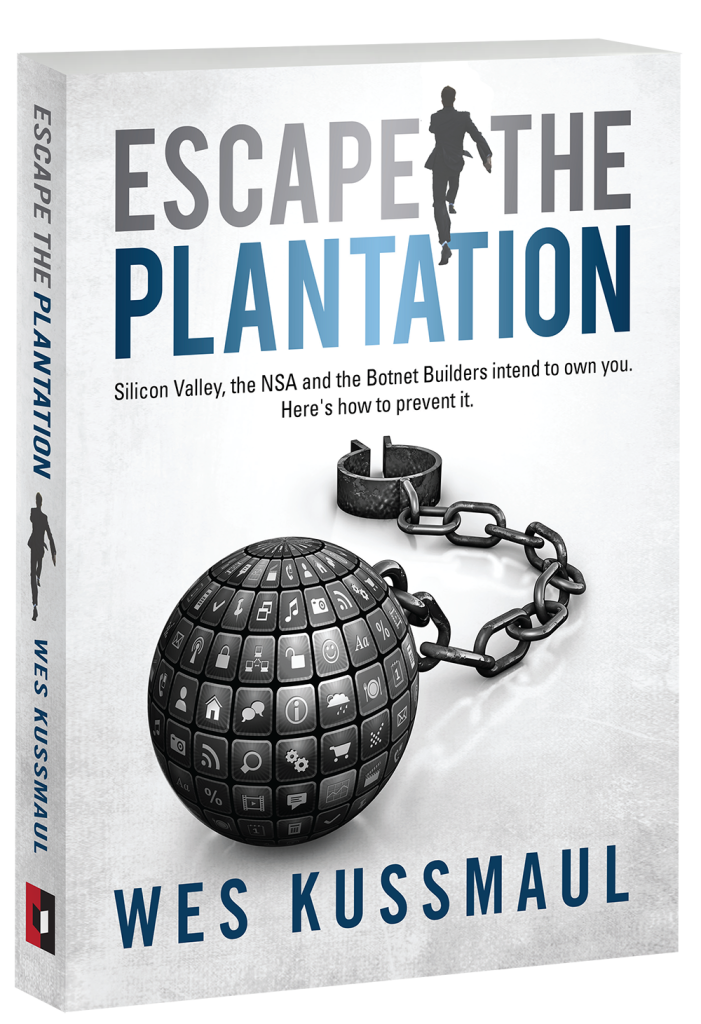
Mafiology tracks the tactics behind these schemes so you can recognise them early. Get our fraud-pattern alerts, plus a free copy of Wes Kussmaul’s Escape the Plantation on how scammers attack you and your family, and what can be done to stop them.