An email arrives with the PayPal logo: your account has been limited, a payment of $499 is pending, or someone has logged in from a new device. It looks official, and it wants you to act now. A PayPal scam email is one of the most common phishing messages in the world, because anyone can send an email that claims to be PayPal. This guide shows you how to tell a fake from the real thing, and what to do if you have already clicked.
Why PayPal Is Such a Popular Disguise
PayPal has hundreds of millions of users, so a scammer who sends a fake PayPal email to random addresses is bound to reach real customers. It is also linked to bank accounts and cards, which makes a stolen login valuable.
Most importantly, email was never designed to prove who sent a message. The “From” name can say “PayPal Service” whoever actually sent it, and a convincing logo takes seconds to copy. That gap is what every one of these scams exploits.
The Most Common PayPal Scam Emails
“Your account has been limited”
The email says suspicious activity was detected and your account is restricted until you confirm your details. The link leads to a fake PayPal login page that captures your email, password and often your card number.
Fake payment or “unauthorised transaction” alerts
You are told a large payment, often for a laptop, gift cards or cryptocurrency, has gone through. Panicked, you click to cancel it, or call the “support number” in the email, and end up talking to the scammer.
Fake invoices sent through PayPal itself
This one catches careful people. Scammers create a real PayPal account and send you a genuine invoice or money request, so the email really does come from PayPal. The note on the invoice claims you have been charged for something like antivirus software, and gives a phone number to call “if you did not authorise this”. Nobody can take money through an invoice you ignore. The scam starts when you call the number, where a fake agent talks you into installing remote access software or “refunding” money. If antivirus is the cover story, our guide to fake antivirus alerts explains the rest of the script.
“You’ve received a payment”
Aimed at people selling online, this fake email claims a buyer has paid, often more than the asking price, and that the money will be released once you ship the item or refund the difference. No money ever arrives.
Prize, refund and survey emails
These offer a refund, a reward or a gift card in exchange for “confirming” your account details. PayPal does not give out prizes by email.
How to Spot a Fake PayPal Email
- Check how it greets you. PayPal says its genuine emails address you by your first and last name, or your business name. “Dear Customer” or “Dear User” is a warning sign.
- Check the sender’s real address. Tap or hover on the sender’s name to see the full address. Look for misspellings and extra words, such as paypal-support-team.com or service@paypa1.com. Be aware that addresses can be faked, so a correct address alone does not prove an email is genuine.
- Look at links before you click. Hover over a link on a computer, or press and hold on a phone, to see where it really goes. A real PayPal link goes to paypal.com, not a lookalike or an unrelated site.
- Watch for pressure. Deadlines like “within 24 hours” and threats to close your account are designed to stop you thinking.
- Note what it asks for. PayPal will never ask you by email for your password, your full card or bank details, a one-time code, or payment by gift card or cryptocurrency.
- Distrust phone numbers in the email. Only use the contact details shown when you log in to PayPal yourself.
- Be wary of attachments. PayPal does not send attachments asking you to log in or install software.
The single most reliable check takes thirty seconds: do not use anything in the email. Open the PayPal app, or type paypal.com into your browser yourself, and log in. If there really is a problem, a payment or a limitation, you will see it in your account. If nothing is there, the email was fake.
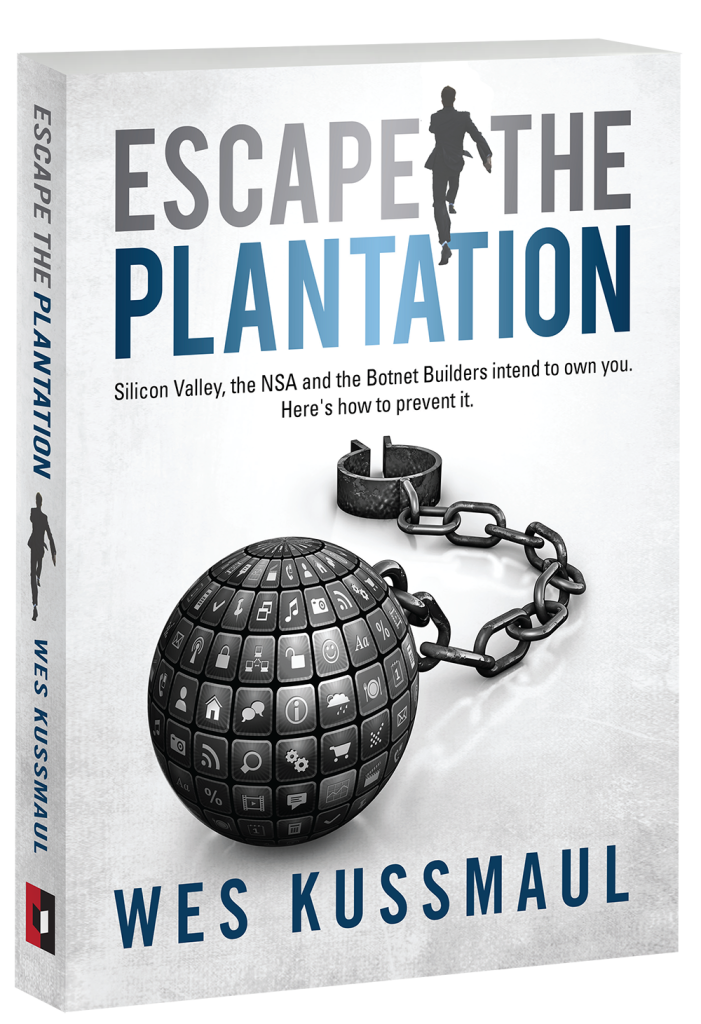
Every one of these scams works because an email cannot prove who sent it. That problem is the subject of Wes Kussmaul’s Escape the Plantation, and you can get a free copy at the end of this article.
What to Do If You Clicked a Fake PayPal Link
Do not panic, but act quickly. Work through these steps in order:
- Change your PayPal password by logging in through the app or by typing paypal.com yourself. Choose a password you use nowhere else.
- Change the password anywhere you reused it, especially your email account.
- Turn on 2-step verification in PayPal’s security settings, so a stolen password alone is not enough to get in.
- Check your PayPal activity for payments you did not make, and report any through PayPal’s Resolution Center straight away.
- Call your bank or card provider if you entered card or bank details on the fake page, using the number on the back of your card. Ask them to block the card and watch for unusual payments.
- If you installed software because someone on the phone told you to, disconnect from the internet, uninstall it, and have the device checked before you log in to anything else.
Our step-by-step guide for when you have clicked a phishing link covers each of these in more detail. If money has already left your bank account, see Do Banks Refund Scammed Money?
How to Report a PayPal Scam Email
Reporting takes a minute and helps stop the same email reaching other people:
- Forward it to PayPal at phishing@paypal.com, then delete it. Do not change the subject line or forward it as a screenshot.
- In the UK, forward it to report@phishing.gov.uk, the National Cyber Security Centre’s reporting service. If you lost money, report it to Action Fraud, or to Police Scotland on 101.
- In the US, report it to the FTC at reportfraud.ftc.gov. If you lost money, also report it to the FBI’s IC3 at ic3.gov.
- Mark it as phishing in your email app, which helps your provider filter similar messages.
How to Protect Your PayPal Account From Now On
- Keep 2-step verification switched on, ideally with an authenticator app or a passkey rather than text messages.
- Get into the habit of checking anything urgent by opening the app yourself, never through a link.
- Turn on PayPal’s account notifications in the app, so you see real activity as it happens.
- Secure the email address linked to your PayPal, because whoever controls it can reset your password.
- Never pay a stranger using PayPal’s “Friends and Family” option. It is meant for people you know, and it does not come with buyer protection.
Frequently asked questions
How can I tell if a PayPal email is real?
Do not use anything in the email. Open the PayPal app or type paypal.com yourself and log in. If the payment, request or problem the email mentions is not in your account, the email is fake. Genuine PayPal emails also address you by your full name.
What email address does PayPal send from?
Real PayPal emails come from paypal.com addresses, such as service@paypal.com. Because addresses can be faked, and scammers can send real invoices through PayPal, a correct address alone does not prove an email is safe. Always check inside your account.
Can scammers send real PayPal invoices?
Yes. Scammers open real PayPal accounts and send invoices or money requests with fake warnings and phone numbers in the notes. Ignoring the invoice costs you nothing. Never call a number written in an invoice note, and never pay a request you do not recognise.
What happens if I clicked a link in a PayPal scam email?
If you only opened the page, the risk is low. If you entered your password or card details, change your PayPal password, turn on 2-step verification, check your activity, and call your bank. Act as quickly as you can.
Where do I report a PayPal scam email?
Forward it to phishing@paypal.com. In the UK, also forward it to report@phishing.gov.uk. In the US, report it at reportfraud.ftc.gov.
Related reading
- Clicked a Phishing Link? Here Is What to Do Next
- Do Banks Refund Scammed Money? What the Rules Say
- Fake Antivirus Alerts: How to Tell Safe from Scam
- Is This Royal Mail Delivery Text a Scam?
Anyone can send an email that claims to be PayPal, because nothing in email proves who really sent it. Wes Kussmaul’s Escape the Plantation explains why the internet was built this way and how verified, accountable identity would stop scammers hiding behind famous brands. Mafiology tracks the tactics behind these schemes so you can spot them early. Enter your email below for our fraud-pattern alerts and your free copy of the book.